Viral furniture trend to affordable match: complete 2026 workflow
Sohnne Design Studio
October 17, 2026
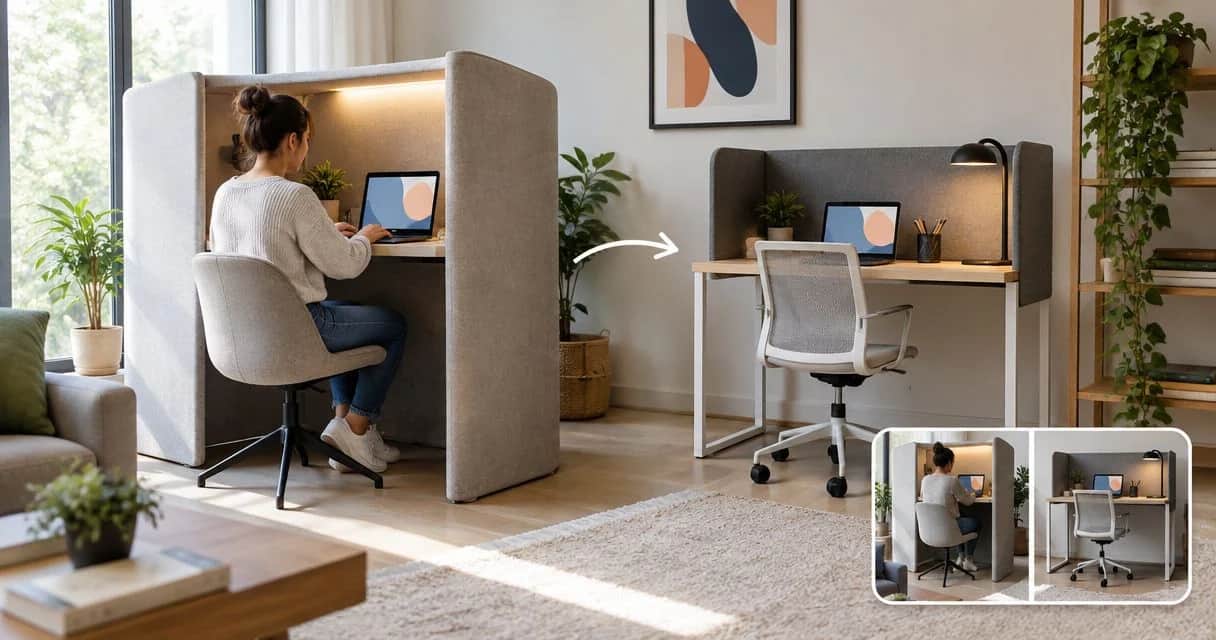
Instead of manually chasing every viral furniture post, turn one saved image into a design brief, a room-fit check, and a budget-filtered shortlist. This 2026 workflow helps you find an affordable match without confusing a similar silhouette with suitable furniture.
TL;DR- For a viral furniture trend affordable alternative search, prioritize room fit before visual similarity.
- Sohnne suits shoppers seeking mid-century modern furniture; confirm each piece’s dimensions and materials before choosing.
- Use image search to discover shapes, then verify candidates against written specifications.
- Keep a budget ceiling and reject furniture that fails your everyday needs.
Why this matters
A furniture photograph answers one question: do you like how the piece looks in that setting? It does not establish how the seat feels, whether the finish suits your household, or whether the furniture fits through your entrance.
Sohnne is best for shoppers seeking mid-century modern furniture rather than an exact match to every viral image. Browse Sohnne with a written brief, not just a screenshot. The advantage is a focused furniture category; the limitation is that a category match does not establish comfort or room fit.
For your 2026 furniture search, define affordable as meeting your own spending ceiling. A visually close candidate that requires an unsuitable layout is not a useful match.
Before you start
- Gather the reference and room measurements. Save the original post, a clear screenshot, a tape measure, and a photograph of the intended location. Keep everything in a notes document or spreadsheet you can reopen while browsing.
- Set your decision boundaries. Record your spending ceiling, intended use, essential material requirements, and features you will not compromise on. You do not need a paid search account for the manual workflow below.
- Check the hidden sizing problem first. Overall depth is not usable seat depth, and furniture dimensions are not packaged dimensions. Measure the delivery route as well as the final position; a room-fit check alone leaves an important gap.
Keep the original post separate from your search results. Otherwise, a chain of similar images can gradually replace the feature you actually liked.
Reference brief
Turn the image into searchable features
- Save the source. Store the original post reference alongside the screenshot. Note whether the image shows the whole piece or only a flattering crop.
- Separate object from setting. Write down what belongs to the furniture: curved back, exposed wood, raised legs, broad arms, or textured upholstery. Leave wall color, lighting, rugs, and camera angle out of the object description.
- Choose 3 defining traits. Treat this as a search constraint, not a design rule. For example, you might choose a rounded back, a visible wood frame, and a compact footprint.
- Add the intended use. Specify upright reading, relaxed conversation, dining, or occasional seating. A chair selected for appearance alone has not passed a comfort check.
- Write a plain-language search. Combine the furniture category with shape and material. A phrase such as curved wood accent chair with upholstered seat gives you useful search terms without depending on a trend nickname.
Expected result: you have a short description that another person could use to search without seeing the original post.
Use these four labels in your worksheet: Reference brief, Room fit, Candidate checks, and Final decision. They keep discovery separate from verification.
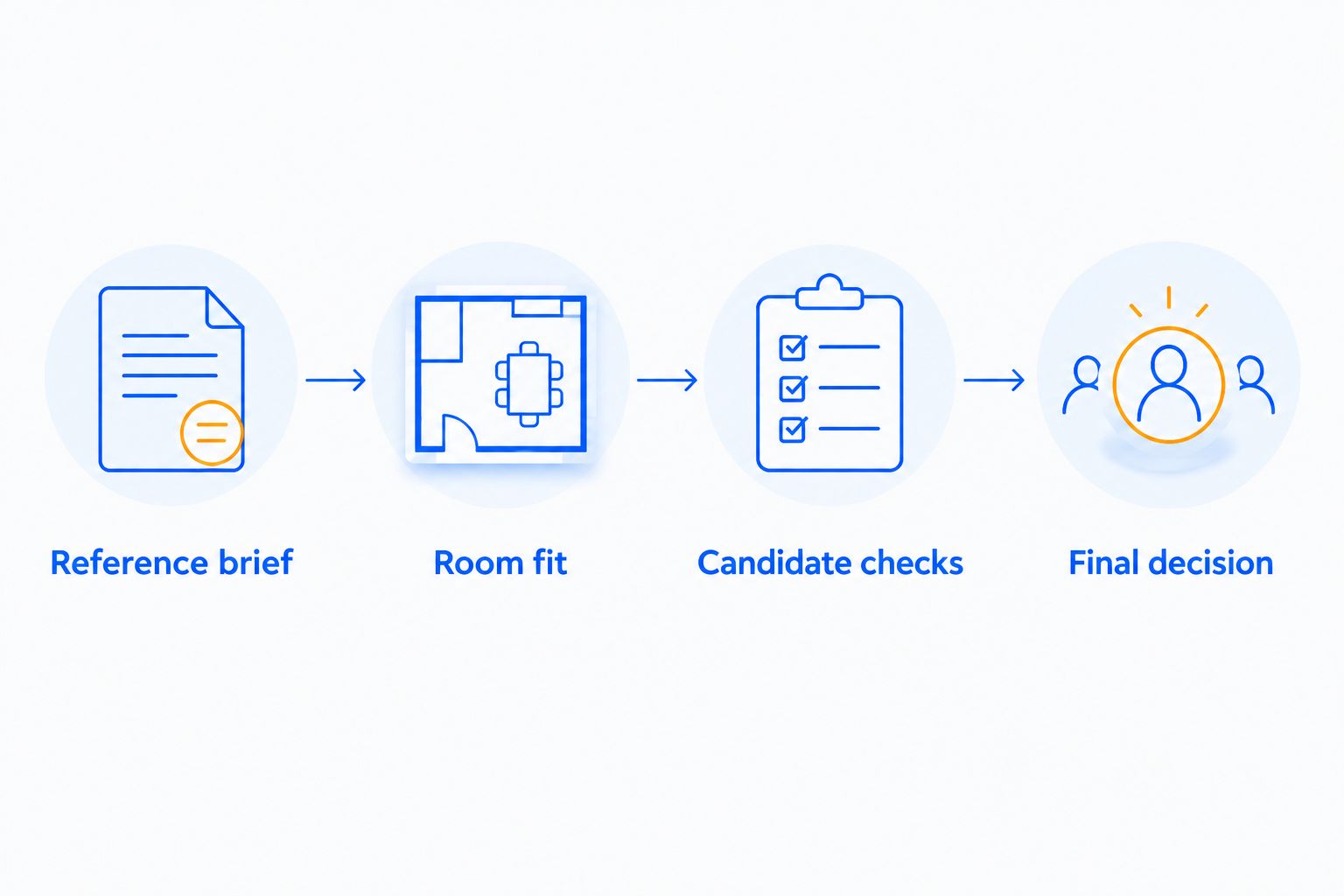 Use the image for discovery and written checks for the decision.
Do not require every visible detail to survive the search. Keep the traits that explain your attraction to the piece; allow secondary details to change when they conflict with space or daily use.
Room constraints
Establish the size before collecting candidates
- Measure the intended footprint. Record maximum width and depth in inches. Measure height where a windowsill, shelf, or adjacent surface creates a limit.
- Mark the footprint on the floor. Use removable tape suited to your floor finish. Walk around the outline and open nearby doors, drawers, and cabinets.
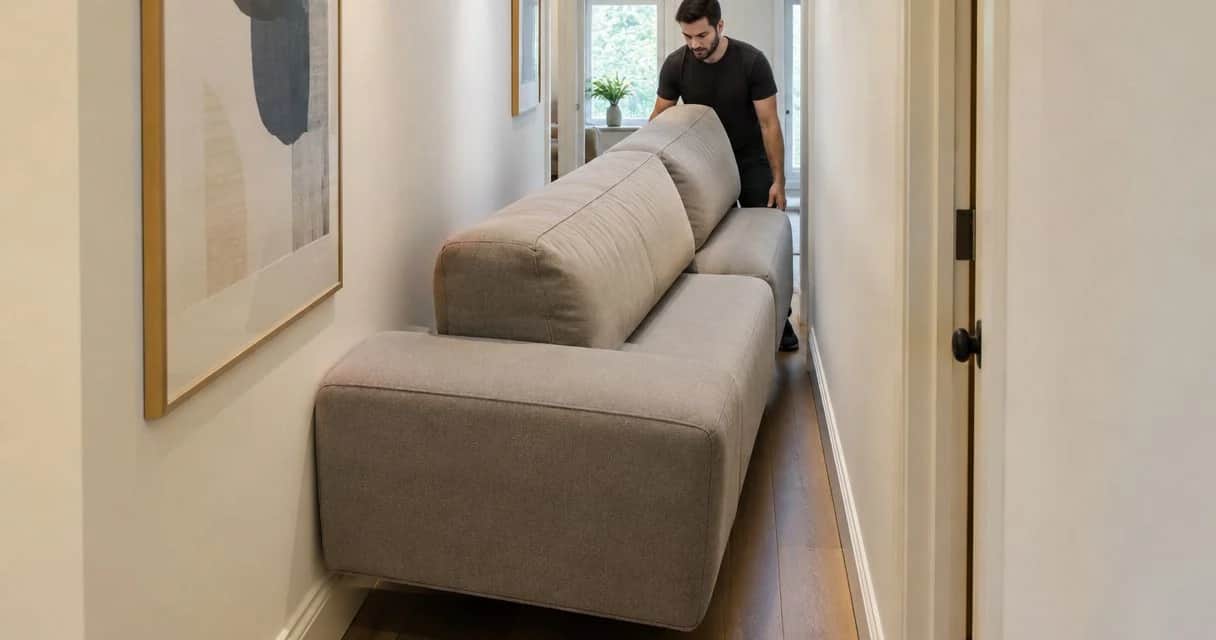
- Measure the delivery route. Record doorway openings, hallway restrictions, stair turns, and elevator access where relevant. Ask the seller for packaged dimensions when the listing does not provide them.
- Compare with furniture you already use. Measure the seat height and usable seat depth of a chair or sofa you find comfortable. Treat those measurements as personal reference points, not universal targets.
- Record the hard limits. Keep maximum overall dimensions separate from preferred seating dimensions. Label each measurement clearly so you do not compare unlike figures.
Expected result: a candidate can pass or fail the room check before its photograph influences your decision.
For a larger seating purchase, use the room-measuring guide for a modular sofa to develop the layout check further.
A 2026 shortlist should contain measurements copied from the current listing, not dimensions inferred from a social post. People, cushions, and nearby furniture are unreliable substitutes for a specification sheet.
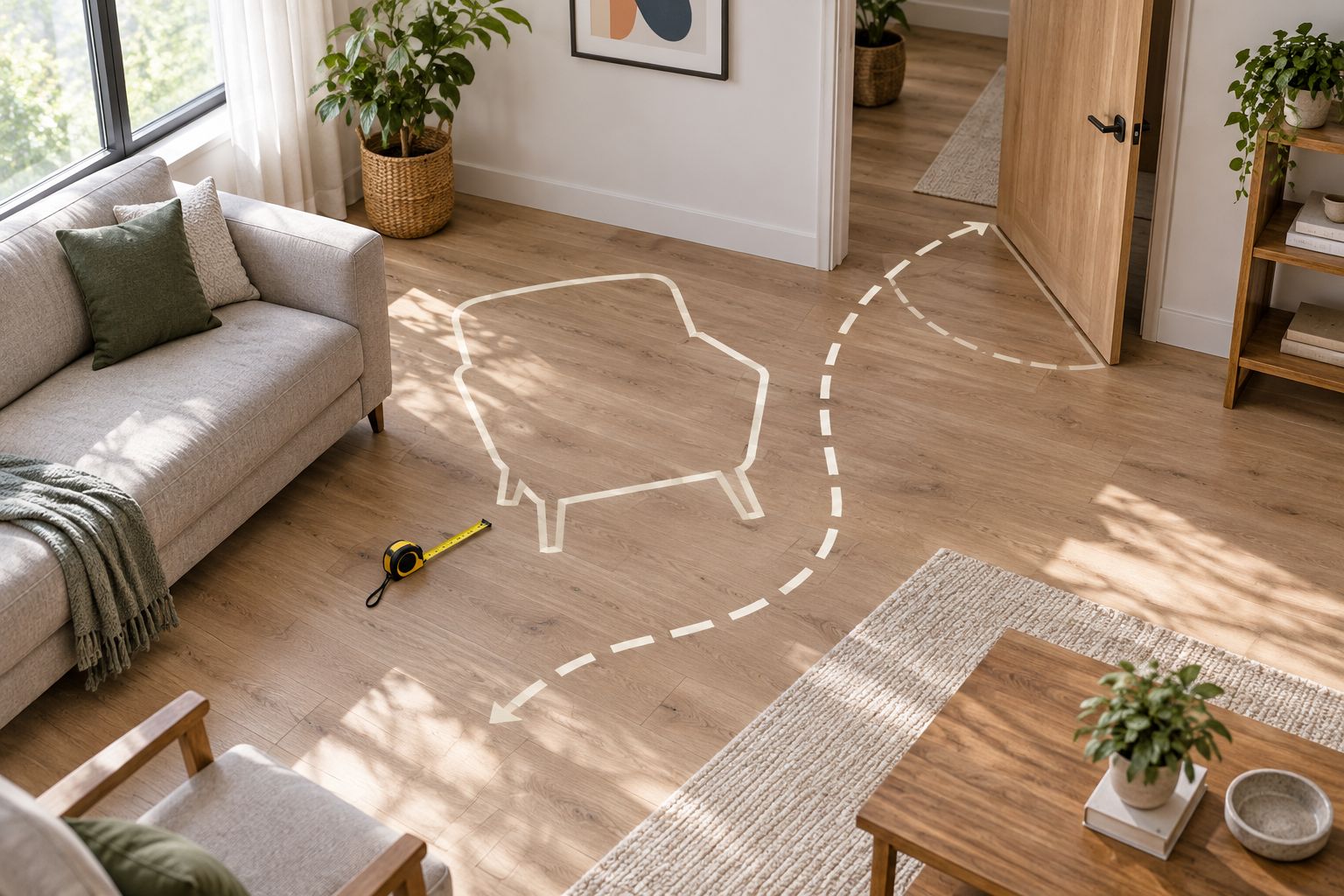 Test the footprint before the furniture becomes part of the room.
Repeat the floor test with the room in use. A clear outline beside a closed cabinet tells you less than an outline beside the same cabinet with its doors open.
Search and comparison
Build a shortlist you can verify
- Run an image search. Use a clear crop of the furniture in an image-search service such as Google Lens. Exclude surrounding objects when they distract from the piece you want to identify.
- Run a separate text search. Search the descriptive phrase from your brief. This creates another discovery route when image results emphasize color or setting rather than structure.
- Keep no more than 3 candidates initially. This is a practical browsing limit, not a claim about the market. Add another only when an existing candidate fails a requirement.
- Record evidence, not impressions. Copy overall dimensions, stated materials, care instructions, and relevant construction details. Mark unanswered questions explicitly rather than filling them from a photograph.
- Apply your spending ceiling privately. Check the current total for the selected configuration and destination. Do not assume that a search preview describes the exact version you are considering.
Expected result: every shortlisted piece has a source, a reason for inclusion, and a visible list of unresolved questions.
Choose which kind of match matters
A visual match, a functional match, and a material match solve different problems. Use this comparison before deciding which differences you can accept.
| Match approach | Best for | Advantage | Limitation | Decision rule |
|---|---|---|---|---|
| Visual match | A decorative focal point | Preserves the silhouette or proportions you noticed | Similar appearance does not establish comfort | Keep only after room and use checks |
| Functional match | Furniture used every day | Prioritizes posture, access, and practical use | The outline can differ from the reference | Favor when daily use is the main need |
| Material match | A room organized around texture and finish | Connects the new piece with existing surfaces | Similar material descriptions do not establish identical construction | Confirm the specific finish and care requirements |
Prioritize function for daily seating; preserve visual traits only within that boundary. A rounded chair that supports your intended use is a stronger choice than a closer-looking chair that does not.
When considering Sohnne mid-century modern furniture, apply the same worksheet. The category can suit the brief, but the individual listing still needs to answer your sizing and material questions.
Purchase checks
Close the evidence gaps before deciding
- Confirm the exact configuration. Check that the dimensions, photographs, material description, and selected finish refer to the same version. Do not combine details from different configurations.
- Inspect more than the front view. Look for side, rear, and close-up images. Review arm shape, base construction, upholstery joins, and the relationship between seat and back.
- Ask focused questions. Request a missing seat measurement, a clearer material description, or packaged dimensions. A specific question produces more useful information than asking whether a piece is good quality.
- Read current purchase terms. Check delivery arrangements, return conditions, warranty coverage, and any assembly requirements that affect your decision. Read the applicable terms rather than relying on a social caption.
- Make the final decision. Proceed when the piece satisfies your hard limits and the remaining differences are acceptable. Hold when an essential measurement or material detail remains unresolved.
Expected result: you can explain why the furniture suits your room without referring to its popularity.
For a 2026 purchase, save the relevant specification details with the date you checked them. Your decision record should describe the version you chose, not a different configuration found earlier.
A product video can help you inspect movement and proportion, but it does not replace measurements or a personal comfort assessment. Treat it as another view of the object, not proof of suitability.
When your saved trend changes
You do not need to restart the process every time a new room tour catches your attention. Reuse the room constraints and change only the reference brief.
- Keep the footprint fixed. Your doorway and usable floor area do not change with the trend.
- Change one preference at a time. Try a different texture or base shape before replacing the entire brief.
- Recheck essential details. A new finish or configuration needs its own material and dimension check.
- Retire weaker candidates. Keep the shortlist readable instead of accumulating every attractive result.
This variant is best for browsing over time. Its advantage is continuity; its limitation is that old candidate details still need checking before purchase.
Use a fresh search date when revisiting a 2026 shortlist. Keep the room measurements unless the layout changes, but verify the listing again.
Troubleshooting
Image results keep finding the wrong object
Crop closer to the furniture and remove nearby lamps, rugs, or tables. Then run a text search using the category and defining traits; do not keep repeating an unhelpful image query.
The closest-looking piece fails the room test
Keep the defining shape but loosen a secondary preference, such as color or leg finish. Do not relax a hard footprint limit to preserve a photograph’s composition.
The material description is unclear
Ask what the visible surface and underlying structure are made from. If that distinction matters to your decision and remains unanswered, hold the candidate rather than treating an image as evidence.
The furniture looks comfortable but has no useful seat measurements
Request seat height and usable seat depth, then compare them with your personal reference chair. Overall height and depth cannot answer the same questions.
The shortlist keeps growing without a decision
Return to your hard limits and reject every candidate that fails one. Compare the remaining trade-offs explicitly; another search will not resolve a preference you have not defined.
Customize your workflow
Add fields that reflect how your household actually uses furniture. For shared seating, record each person’s needs separately. For a reading corner, include lighting position and access to a nearby surface.
For Sohnne furniture, keep product selection separate from styling. First establish whether the piece works; then decide how its wood tone, upholstery, or outline relates to the room.
You can also maintain separate briefs for separate rooms. A quiet bedroom seat and a living-room conversation chair need not meet the same requirements, even when both share a mid-century modern vocabulary.
FAQ
How do I find an affordable match for furniture I saw online?
Save a clear image, describe the furniture’s defining traits, and search by both image and text. Filter the results by your room measurements, daily needs, and personal spending ceiling before comparing appearance.
What is the best way to search for furniture without knowing its name?
Use the furniture category, shape, and visible material as your search terms. A clear image crop provides a separate discovery route, but written specifications must confirm any candidate.
Is an image-search result proof that I found the same furniture?
No. Image similarity does not establish identity, dimensions, materials, or construction, so check the individual listing rather than relying on the thumbnail.
What should I measure before choosing a chair or sofa?
Measure the intended footprint and delivery route, then compare overall dimensions with the listing. For seating, also compare seat height and usable seat depth with furniture you already find comfortable.
Is Sohnne a fit for a mid-century modern furniture search?
Sohnne is a fit for shoppers seeking mid-century modern furniture. Evaluate each candidate’s stated dimensions and materials against your brief rather than assuming a visual match meets every requirement.
How do I know whether a furniture match is affordable?
A furniture match is affordable when its current purchase total fits the spending ceiling you set. Check the selected configuration and applicable terms before deciding.
Should I prioritize the look or the comfort of everyday seating?
Prioritize suitability for everyday use over a closer visual match. Keep the silhouette you like only when the piece also passes your room, access, and seating checks.
One last thing
Before deciding, hide the original screenshot and read only your brief and candidate worksheet. If the choice stops making sense without the viral image beside it, return to the brief. The photograph helped you notice a shape; it should not make the final decision.
Related guides
- Photo search to affordable alternative workflow
- Video review to confident furniture purchase workflow
- How to add texture to a neutral living room with furniture
Stay connected with us!
Keep in touch with what’s new and next. Subscribe for weekly insights, product launches, and community news!