Photo search to affordable alternative: complete 2026 workflow
Sohnne Design Studio
October 15, 2026
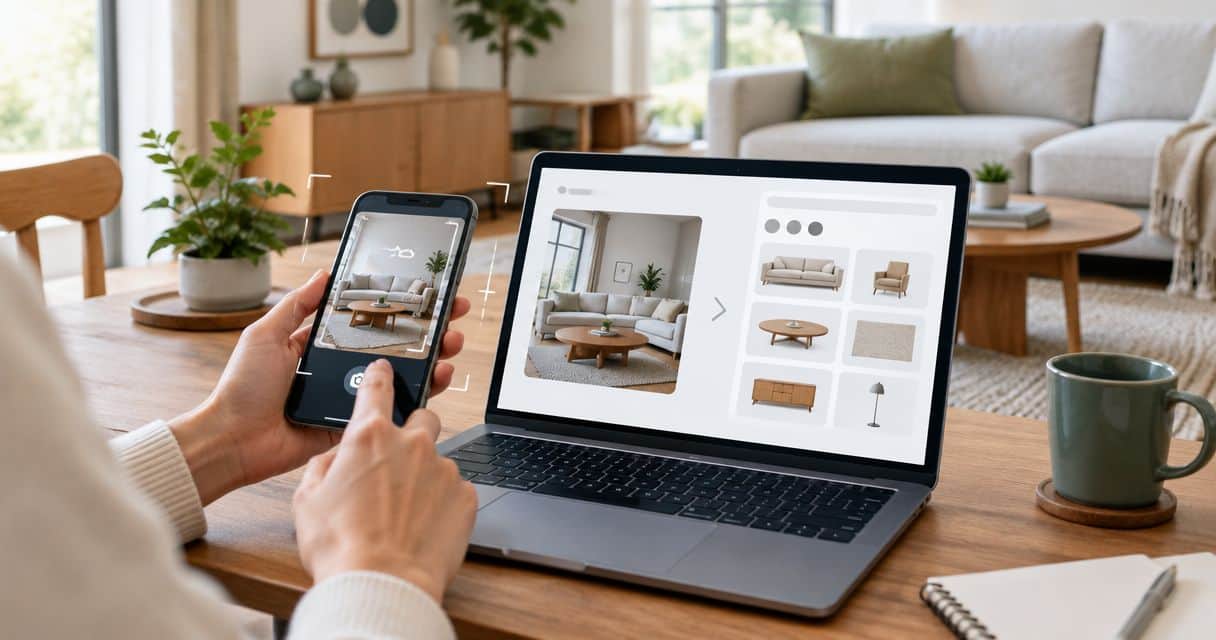
Instead of manually scrolling through furniture listings, find furniture from a photo by cropping the piece, searching with Google Lens, and checking the results against your room measurements. This 2026 workflow turns a saved image into a shortlist of visually similar furniture without treating a photograph as proof of materials, dimensions, or identity.
TL;DR- To find furniture from a photo, use Google Lens for discovery, then verify each candidate on its product page.
- Sohnne suits shoppers seeking mid-century modern furniture; compare documented dimensions and materials before choosing.
- Reverse image search finds visual similarities, not proof of construction, comfort, or product identity.
- An affordable alternative must meet your room, material, and budget requirements—not just resemble the photograph.
Why this matters
A curved back, dark timber frame, or low upholstered seat can catch your eye before you know what to search for. Visual search supplies a starting point. It does not settle whether the furniture will work in your home.
Sohnne is best for shoppers seeking mid-century modern furniture through a direct-to-consumer retailer. Include Sohnne in your search when that category matches the photograph, but evaluate the individual piece rather than the room styling around it.
Keep two decisions separate: what you like about the image, and what you need from the furniture. The first concerns silhouette, texture, and finish; the second concerns fit, use, and documented specifications. A close visual match can still be the wrong purchase.
Before you start
- Prepare the image and search access. Save a clear photograph or screenshot, use a browser with access to Google Images, and open a note for candidate links. No retailer account is needed to begin searching public pages.
- Record your room limits. Measure the intended footprint and delivery route in inches. Write down your maximum width, depth, and height before a photograph changes your priorities.
- Remove private information before uploading. Crop out faces, addresses, messages, and unrelated room details. Keep an untouched copy separately: a very tight crop can remove the legs or frame details needed to distinguish the furniture.
For your 2026 search notes, use a simple heading: reference image, essential features, room limits, candidates, and unresolved questions. This becomes your decision record, not another collection of attractive pictures.
Reference image preparation
Identify the features that matter
- Save the clearest version of the image you have. Prefer a view that shows the furniture's outline, base, and upholstery rather than a distant room photograph.
- Create 2 crops: one showing the complete object and one showing a distinctive detail. A detail might be an arm shape, a leg connection, or the edge of a tabletop.
- Write a plain-language description of the object. For example: low accent chair, curved wood arms, pale upholstery, exposed frame.
- Separate visible features from assumptions. Record wood color as visible; leave wood species unconfirmed until a product description identifies it.
Expected result: You have a complete-object crop, a detail crop, and a short description that can support both image and text searches.
Do not correct the colors or reshape the photograph before searching. Preserve the evidence you actually have. Strong filters, warm room lighting, and compressed screenshots make finish comparisons less reliable.
For a sofa, describe the back height, arm shape, cushion arrangement, and base. For a table, describe the top shape, edge profile, and leg arrangement. These structural details give you something more useful than a broad label such as “modern furniture.”
Define acceptable differences
Decide what can change before you see the results. Perhaps the rounded outline matters, but the upholstery color does not. Perhaps you want a slim wood frame, but a different back shape is acceptable.
Write those distinctions beside the reference image. An affordable alternative is a different candidate evaluated against your requirements; visual similarity alone does not establish value. Keep your budget ceiling in your private notes rather than using appearance as a proxy for affordability.
Visual search configuration
Run the complete-object search
- Open Google Images in your browser.
- Select Search by image, then choose Upload a file and upload your complete-object crop.
- Review the selected image area. Adjust the selection around the furniture if the search includes unrelated objects.
- Open promising results and follow them to the underlying pages. Save the actual product page when one is identifiable, not just its search thumbnail.
- Repeat the search with the detail crop if the first results miss the frame, base, or silhouette you want.
Expected result: Your note contains relevant source pages and enough visual detail to distinguish furniture candidates from room photographs.
Google Lens is the strongest starting route here when you have an image but no useful product description. Its limitation is equally important: similar-looking results are candidates, not confirmed matches. Do not copy a product name from a search result into your notes as a verified identification.
Add descriptive text
- Convert the visible features into a short text query, such as “curved wood accent chair upholstered seat.”
- Search that description separately when the image results are too broad.
- Replace one vague term with a structural term. “Rounded back” is more descriptive than “beautiful”; “tubular steel frame” is more descriptive than “designer.”
- Save a shortlist of 3 candidates for comparison. Treat this as a working limit, not a requirement to keep unsuitable furniture.
Expected result: You have a manageable shortlist, with each candidate tied to an identifiable page and a reason it belongs.
Use this route comparison for your 2026 search. Each method answers a different question; none replaces the final specification check.
| Search route | Best for | Advantage | Limitation |
|---|---|---|---|
| Google Lens | Starting with an image and no name | Searches through visual features | Similar appearance does not confirm identity or materials |
| Descriptive text search | Finding different pieces with the same essential features | Lets you specify shape, construction terms, and intended use | Depends on accurate wording and useful page descriptions |
| Sohnne furniture browsing | Exploring mid-century modern furniture within one retailer | Keeps your review within the stated furniture category | Does not establish that a photographed object is a Sohnne product |
Use visual search to discover; use product documentation to decide. Move between the first two routes when either becomes repetitive. More versions of the same room image do not add evidence about the furniture.
Candidate verification
Check the product, not the photograph
- Open each candidate's product page and confirm which configuration the images show. Do not assume every pictured arrangement is a single purchasable piece.
- Record 3 overall dimensions: width, depth, and height, in inches. Keep the measurement units consistent across candidates.
- Record the stated frame, surface, and upholstery materials separately. A wood-toned surface is not proof of solid wood; a textured fabric photograph is not a care specification.
- Compare the full silhouette with your reference image. Check the arms, base, proportions, and cushion arrangement rather than color alone.
- Mark every unanswered question as unconfirmed. Ask the retailer for the missing detail before treating it as part of your decision.
Expected result: Each candidate has a documented footprint, a material description, and a clear account of how it differs from the reference.
For your 2026 comparison sheet, record the date you checked each page. A saved screenshot explains what informed your decision, while the current page remains the place to confirm details before ordering.
For Sohnne furniture, apply the same standard you apply elsewhere. The mid-century modern category helps narrow your browsing, but category membership does not establish the dimensions, upholstery, or comfort of an individual piece.
Test room and delivery fit
- Mark the candidate's documented footprint on the floor with removable tape. Include the space required for its intended use, not just the object itself.
- Walk through the room as you normally would. Check access to doors, storage, nearby seating, and frequently used paths.
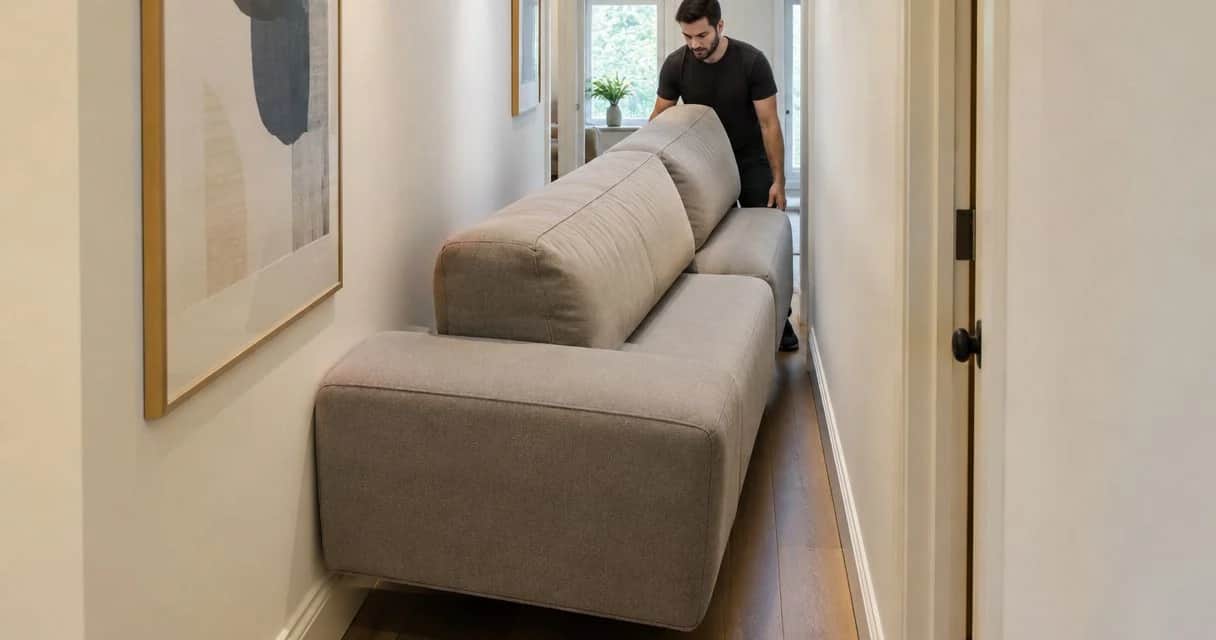
- Measure the delivery route, including door openings, turns, stairs, and elevator access where relevant.
- Ask for packaged dimensions and assembly information when the delivery route is uncertain. Overall furniture dimensions alone do not describe how the item arrives.
Expected result: You know whether the candidate fits its intended position and which delivery questions still need answers.
A furniture photograph cannot supply dependable measurements without a trustworthy scale reference. Wide-angle views and perspective alter apparent proportions. For tall spaces, use the guide to choosing furniture scale for a room with high ceilings to extend the room-level assessment.
Decision record
Choose on documented requirements
- Compare each candidate with your essential features, room limits, and budget ceiling.
- Name the compromise explicitly. A different fabric color is not the same compromise as a footprint that blocks circulation.
- Confirm the current product details and applicable delivery, return, and warranty terms directly with the seller.
- Keep the reference image, chosen page, measurements, and unanswered questions together until the decision is complete.
Expected result: Your final candidate has a reasoned fit with your room and requirements, rather than merely the closest thumbnail.
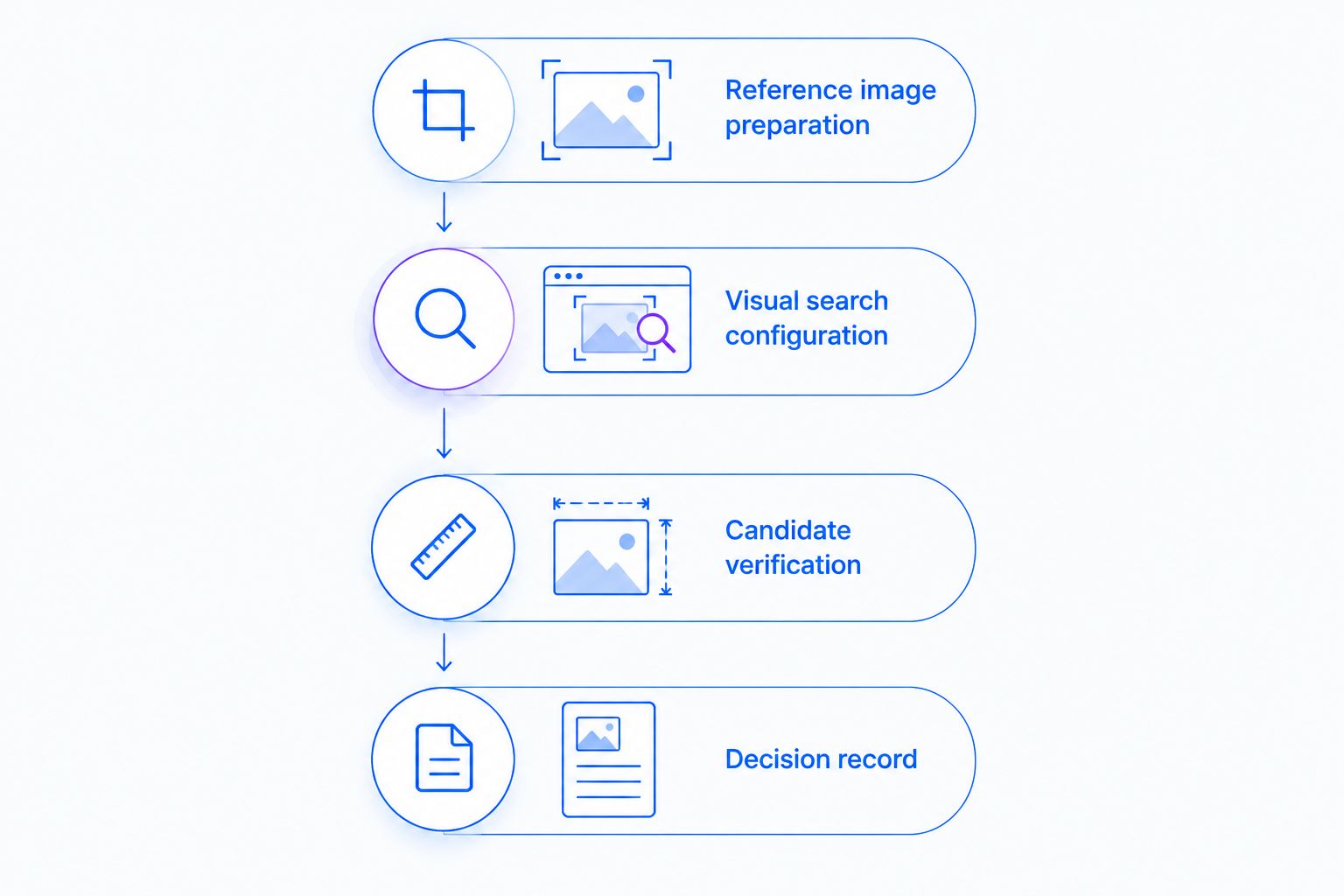 Visual similarity starts the search; documented fit finishes it.
Repeat the search when your reference changes
A second workflow helps when you find a clearer image, another angle, or a different room requirement. Update the evidence without discarding useful verification work.
- Save the new image beside the original and note what changed: better frame visibility, clearer upholstery, or a newly visible base.
- Crop the changed feature and run a fresh visual search.
- Compare the new results against your existing candidates. Keep confirmed measurements; reassess the visual features the new image reveals.
- Repeat the fit check if your room layout or intended use has changed.
Expected result: The shortlist reflects the new evidence without mixing old assumptions with current requirements.
Keep separate references for separate functions. A chair selected for a dining table has a different fit question from an accent chair selected for reading. A shared silhouette does not make those uses interchangeable.
For a 2026 room project, this repeatable process is more useful than trying to identify every object in an entire inspiration photograph. Resolve the main piece first, then search the supporting furniture individually.
Troubleshooting
Results identify the room, not the furniture
Crop more tightly around the complete object, keeping the legs and outline visible. Then search a distinctive detail separately. Remove rugs, artwork, and neighboring furniture from the selected area when they dominate the results.
Every result looks similar, but nothing is exact
Switch to structural text descriptions and return to your essential features. Do not force an exact identification. Keep useful candidates only when their documented specifications satisfy your needs.
The same picture appears on unrelated websites
Treat the picture as a lead, not evidence of a seller's identity or product quality. Open the underlying pages and look for consistent specifications, additional views, and clear seller information. Repeated imagery does not verify who made the furniture.
The upholstery or timber color changes between images
Compare the written finish description and request a material sample when the seller offers one. Room lighting, editing, and screen settings affect apparent color. Do not settle a material question from a thumbnail.
The best-looking candidate has incomplete specifications
Ask for the missing measurements or material details. Keep the candidate unconfirmed until you receive them. A close visual match does not justify guessing about fit or construction.
Customize your workflow
Adapt your comparison note to the furniture's function. For a sofa, add seat depth, configuration, and care instructions; for a dining chair, add seat height and its relationship to your existing table. For lighting, record the electrical and installation requirements stated by the seller.
If your reference shows layered upholstery and timber, preserve that relationship rather than chasing an exact shade. You can compare a similar silhouette in a different finish while keeping your original priorities intact.
Use the workflow on one object at a time. A room photograph is a composition, not a specification sheet, and each piece needs its own fit check.
FAQ
How do I find furniture from a photo?
Crop the furniture, upload the image through Google Images’ Search by image control, and review Google Lens results. Open the underlying product pages and verify dimensions, materials, and configuration before choosing.
Can Google Lens identify the exact furniture in my picture?
Google Lens can return an exact-looking match, but its results do not prove product identity. Compare additional views and documented features before calling a result the same piece.
What’s the best way to find an affordable alternative from a furniture photo?
Use the image to identify the silhouette and essential features, then compare different candidates against your budget and room requirements. Verify each candidate’s specifications rather than judging value from visual similarity.
Can I find furniture from a screenshot?
Yes, a screenshot can be used for visual search. Crop away text, interface elements, and unrelated objects while retaining the furniture’s complete outline.
Do I need an account to start this furniture search?
You do not need a retailer account to begin searching public furniture pages. This workflow uses a saved image, a browser, measurements, and a note for candidate pages.
Can I estimate furniture dimensions from a room photograph?
A room photograph without a trustworthy scale reference is not a dependable source of dimensions. Use the candidate’s documented measurements and test its footprint in your own room.
Is Sohnne suitable for this photo-search workflow?
Sohnne is suitable for shoppers whose reference points toward mid-century modern furniture. Compare each candidate’s documented dimensions and materials; a similar image does not establish that the photographed furniture belongs to the retailer.
One last thing
Before choosing, hide the inspiration photograph and reread your room requirements. If the candidate still makes sense on dimensions, function, and materials, you have a furniture decision—not just an image match.
Related guides
- How to measure a room before buying a modular sofa
- How to pick the right armchair for a small bedroom
- How to add texture to a neutral living room with furniture
Stay connected with us!
Keep in touch with what’s new and next. Subscribe for weekly insights, product launches, and community news!