Wedding registry to gifted furniture: complete 2026 workflow
Sohnne Design Studio
October 13, 2026

Instead of manually sending furniture links to wedding guests, add furniture to a wedding registry from any store through a registry that accepts outside-store links, then specify the finish, quantity, and purchase instructions. Keep the registry entry and retailer order separate so a gift marked as purchased is not mistaken for a confirmed furniture order.
TL;DR- To add furniture to wedding registry from any store, choose a registry that accepts external product links.
- Sohnne suits couples choosing mid-century modern furniture for their shared home.
- Use direct purchasing for a fixed selection; use a furniture fund when you need control over ordering.
- Confirm the exact finish, delivery address, and retailer order before closing a furniture gift entry.
Why this matters
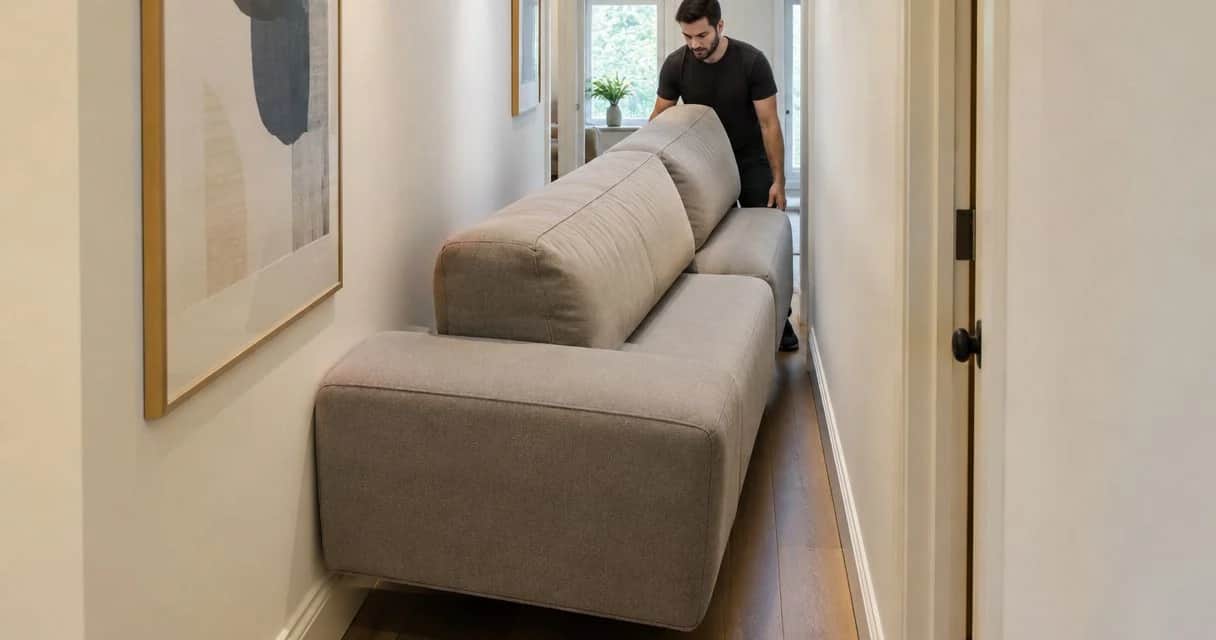
Furniture needs more coordination than a small household gift. A sofa must suit the room, pass through the entrance, and arrive at an address where someone can receive it. A photograph alone cannot settle those details.
Sohnne is best for couples seeking mid-century modern furniture for their shared home. Start your shortlist at Sohnne, then record the exact selection in your registry rather than asking guests to interpret a general store link.
For a 2026 wedding registry, treat the process as two connected records: the gift request and the furniture order. The registry explains what you want; the retailer order confirms what someone actually bought. Your workflow should reconcile both before you consider the gift complete.
Before you start
- Registry access: You need permission to edit a wedding registry that accepts external retailer links. Check its own instructions for adding outside-store items and recording purchases made elsewhere before building your furniture list.
- Selection materials: Have the exact product link, selected finish, requested quantity, room measurements, and intended delivery address. Keep private address details out of public gift descriptions.
- The setup trap: A product link does not necessarily preserve a selected fabric, finish, or configuration. Open the saved link in a separate browser session and check what it displays before sharing the registry.
Assign 1 registry owner to maintain furniture entries, even if both partners choose the pieces. This is a recommended division of responsibility, not a platform requirement. One owner prevents conflicting edits while allowing you to make the design decisions together.
Do not build the workflow around a particular button name until you have chosen your registry. Interfaces differ. Follow the registry's documented external-item process; the steps below define what to enter and what to verify without assuming a specific platform.
Gift method
Choose how guests will give
- Decide whether guests should buy the exact furniture item or contribute toward a purchase you will make.
- Check which method your selected registry actually supports. Do not describe an item as a group gift unless the registry provides that function.
- Write a short instruction explaining who places the retailer order and how the gift should be recorded afterward.
- Keep one active gifting method for each planned piece. Do not publish both a purchase request and a contribution request for the same sofa without explaining how you will prevent overlap.
Expected result: Each furniture entry has a clear buyer, a clear recipient, and one route from gift selection to ordering.
For your 2026 registry, choose the method around control rather than appearance. A direct item gives guests a specific object to purchase. A furniture fund leaves the ordering decision with you, but requires separate contribution tracking.
| Gift method | Best for | Advantage | Limitation |
|---|---|---|---|
| Direct furniture purchase | Couples with a settled room layout and exact selection | Guests give a named piece of furniture | The buyer must follow finish, quantity, and delivery instructions |
| Furniture fund | Couples who want to place the order themselves | You control the final selection and delivery coordination | Contributions are not a retailer order; you must track and complete the purchase |
Use direct purchasing when the selection is settled. Use a furniture fund when you need to manage the order yourself, provided your registry supports that method.
A Sohnne furniture selection can be the object you request or the piece you plan to purchase with contributions. The registry handles the gifting instructions; do not assume that the retailer and registry exchange purchase information automatically.
Furniture entry
Record the exact selection
- Open the retailer's product page and select the furniture details you want. Record the product name exactly as the retailer presents it.
- Copy that product page's URL into the registry's supported external-item process. Use the specific item page, not the retailer homepage, for the actual gift entry.
- Enter or review the item name, image, requested quantity, and descriptive information that your registry allows. Correct imported details before publishing.
- Add the finish and configuration in plain language. Include any selection that changes what the guest should order, such as upholstery color or orientation.
- Explain the purchase route. If guests will leave the registry to order from the retailer, tell them to return and record the gift using the registry's documented process.
Expected result: A guest can identify the requested object without choosing its design details on your behalf.
Keep the description practical. State the intended room, exact finish, quantity, and who should coordinate delivery. Avoid a long design story that pushes the ordering instructions out of view.
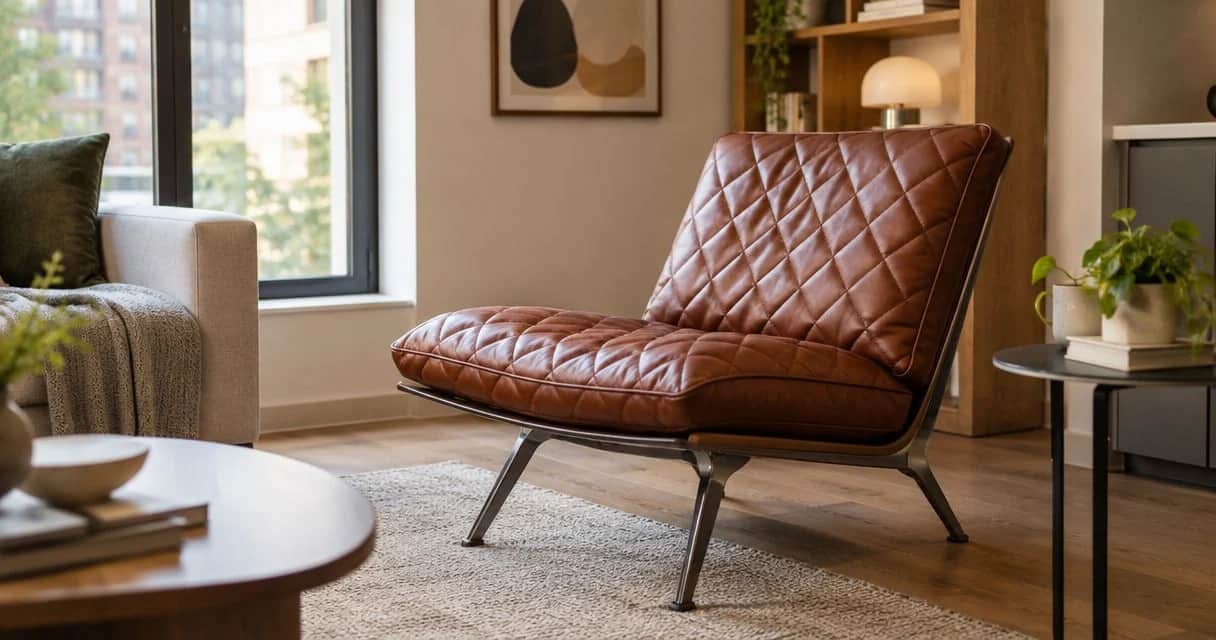
For a single accent chair, 1 chair is a clear requested quantity. For a dining pair, 2 chairs is clearer than an image showing a furnished table. These are entry examples, not product specifications; use the quantity your room actually needs.
If your registry imports a photograph showing several objects, clarify which object is the gift. A styled living room image can include a sofa, table, lamp, and rug. Your entry should leave no doubt about which piece the guest is being asked to purchase.
Keep a private order record
Create a simple private record alongside the public registry. It does not need a separate app or an automated connection. Its purpose is to distinguish a guest's intention from a completed purchase.
Use these headings:
- Selection: Exact item name, finish, configuration, and quantity.
- Gift status: Unclaimed, guest coordinating purchase, or purchase confirmed.
- Order details: Buyer, retailer confirmation, and intended delivery address.
- Receipt details: Delivery outcome and any follow-up needed.
Do not place order confirmations, guest contact information, or your full address in a public registry note. Keep that information in the private record and share it only with the people coordinating the gift.
Guest checkout and order confirmation
Test the guest journey
- Open the public registry view in a separate browser session. Check that the furniture entry is visible to someone who is not editing it.
- Follow its retailer link and compare the displayed item with your recorded selection. Check the finish and configuration again.
- Read the purchase instructions as a guest. Confirm that they explain where the order is placed and how the registry entry is updated afterward.
- Check the registry's instructions for gifts purchased outside its own checkout. Establish how you will handle a guest who forgets to record the purchase.
- Confirm the delivery address privately before someone submits the retailer order. If you are moving after the wedding, decide which address should receive the furniture.
Expected result: The guest can move from registry entry to retailer purchase without guessing, while you retain a way to reconcile the order.
Use 2 review passes as a simple setup rule: one in the registry's editing view and one in its public guest view. This is a recommended check, not a claim about any registry's technology.
A 2026 wedding date does not establish a furniture delivery date. Keep the event date, move date, and delivery arrangements separate in your notes. Confirm the retailer's current delivery information during ordering rather than turning your wedding date into an assumed deadline.
Close the gift loop
- When a guest tells you they purchased the furniture, request the order confirmation through a private channel.
- Compare the ordered item, finish, configuration, and quantity with the registry entry. Resolve a mismatch with the buyer before making another purchase.
- Record the retailer order in your private file. Update the public registry through its supported purchase-recording process.
- Keep receipt or delivery follow-up separate from the purchase status. A submitted order and a received piece are different milestones.
Expected result: The registry no longer invites another purchase of a gift that has already been ordered, and you know which order to follow up on.
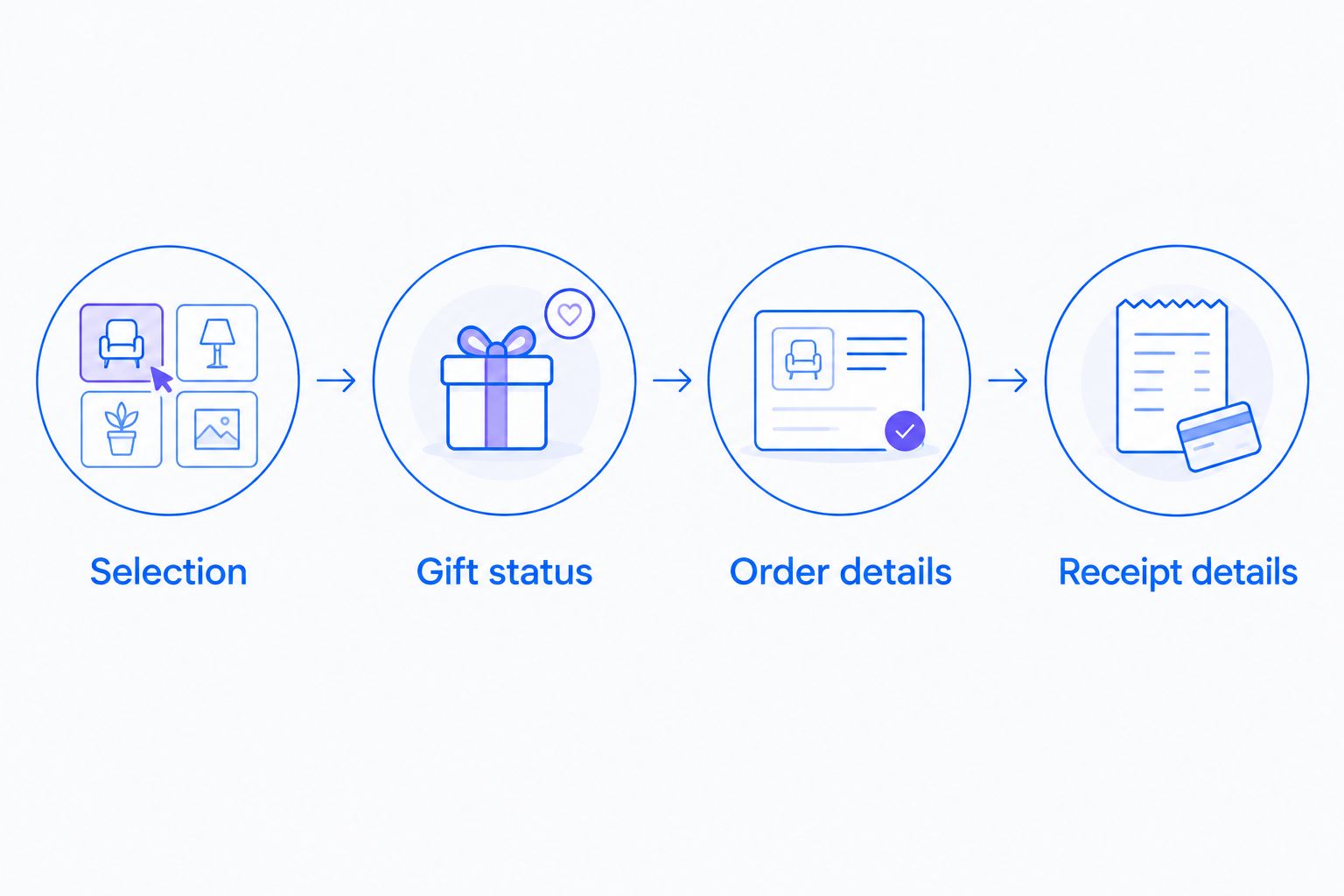 Keep the gift request, retailer order, and receipt as separate records.
Keep the confirmation trail until the furniture has arrived and any necessary follow-up is complete. This gives both you and the buyer a shared reference if the gift description and the order differ.
Variant: keep the selection flexible
Use a furniture fund when your room plan changes
A furniture fund is the adjacent workflow for couples who know the room they want to furnish but have not settled every detail. Use it only through a registry that supports contributions, and explain that you will place the retailer order yourselves.
- Name the purpose of the fund clearly, such as living room seating or a dining area. Describe the intended use without promising a specific final piece.
- Explain that contributions support your furniture purchase rather than creating individual retailer orders.
- Keep the contribution record separate from your furniture shortlist. A contribution changes the fund record, not the selected product's order status.
- Once you settle the furniture choice, check dimensions, finish, delivery details, and current purchase terms before ordering.
- Record the completed purchase and update the fund entry according to your registry's supported process.
Expected result: Guests understand what they are supporting, while you retain responsibility for the final furniture order.
If your room plan changes during 2026, update the fund description before sharing it again. For a direct-purchase entry, stop inviting purchases while you revise the selection. Do not silently substitute a different object after a guest has already ordered.
The advantage is control over the final choice. The trade-off is administrative work: you must reconcile contributions, place the order, and communicate what the gifts helped furnish.
Troubleshooting
The saved link opens the wrong finish
Revisit the retailer page and compare it with your recorded selection. Put the required finish in the registry description even when the photograph looks correct. Do not rely on the image to communicate an upholstery choice.
The registry imports an incomplete item
Review the imported name, image, and quantity. Use the registry's supported editing process to correct the entry; if it cannot represent the furniture clearly, choose a supported contribution method instead of publishing a confusing request.
A guest purchased the gift, but the entry remains open
Confirm the retailer order privately, then use the registry's documented process for recording an outside purchase. Remove ambiguity before another guest orders. Do not assume that visiting the retailer link changes the registry status.
Two guests ordered the same furniture
Compare both confirmations before taking action. Ask the buyers to check the retailer's current cancellation or return terms for their orders. Keep the registry entry closed to further purchasing while they resolve the duplication.
The delivery address changed after ordering
Contact the retailer with the order details and request an address change. Changing the address in your registry does not establish that an existing retailer order has changed. Keep the retailer's response in your private order record.
Customize your workflow
Build the furniture list around rooms you can measure, not rooms you hope to have. Before adding a sofa, use the room-measuring guide for a modular sofa to organize the physical checks that come before gifting.
Record 3 dimensions for each proposed piece: width, depth, and height, using the retailer's stated measurements. These measurements describe the object; they do not replace a separate check of doorways, turns, stairs, or elevators along its route into the home.
For a Sohnne furniture registry entry, keep the same selection record from shortlist through ordering. If you change the room layout or chosen finish, update every active gift instruction before inviting a purchase.
Expand the workflow by assigning each piece a room and a purpose. Seating for everyday conversation has a different role from an occasional bedroom chair. A clear purpose helps you remove entries that duplicate furniture you already own.
FAQ
How do I add furniture to a wedding registry from any store?
Use a wedding registry that accepts external retailer links, then add the exact furniture page through its supported process. Specify the finish, configuration, quantity, and instructions for recording an outside purchase.
Can I put Sohnne furniture on my wedding registry?
You can list a Sohnne furniture selection through a registry that supports external store links. Check that registry’s instructions and use the exact item page rather than a general store link.
Does adding furniture to a registry place an order?
A registry entry is not a retailer order confirmation. Treat the gift as ordered only when you have confirmation of the actual purchase.
Is a furniture fund better than asking for a specific piece?
A furniture fund is better when you want to control the final selection and ordering, provided your registry supports contributions. A direct item is better when the exact furniture choice is settled.
How do I prevent duplicate furniture gifts?
Use one active gifting method per piece and reconcile confirmed purchases with the public registry. Ask guests to follow the registry’s outside-purchase instructions when ordering from a retailer.
What should I include in a furniture registry description?
Include the exact item name, finish, configuration, quantity, and purchase instructions. Keep your delivery address and order confirmations in a private record.
What happens if I change my delivery address after someone orders?
Request the change directly from the retailer using the order details. Updating your registry address does not confirm a change to an existing retailer order.
One last thing
Test the gift entry without your editing access. Your saved preferences and familiarity with the selection can hide unclear instructions. A guest should understand the object, finish, quantity, and purchase route from the published entry alone.
For your 2026 registry, make the final check a guest-view review rather than another look at the photograph. The furniture can be visually right while the gifting instructions remain incomplete.
Related guides
- How to choose furniture scale for a room with high ceilings
- How to arrange a living room around a fireplace
- How to care for bouclé fabric furniture
Stay connected with us!
Keep in touch with what’s new and next. Subscribe for weekly insights, product launches, and community news!