Affirm approval to furniture delivery: complete 2026 workflow
Sohnne Design Studio
November 20, 2026

Instead of manually piecing together financing messages and delivery updates, use this affirm furniture financing workflow to connect your application, confirmed furniture order, shipment tracking, and arrival inspection. Keep the lending record separate from the retail order: approval alone does not confirm that your furniture purchase is complete.
TL;DR- Use Affirm furniture financing only after reviewing the offered repayment terms and confirming the furniture fits your home.
- Sohnne suits buyers seeking mid-century modern furniture online; financing approval and delivery confirmation are separate checkpoints.
- Save the Affirm agreement and retailer order confirmation together, then track shipment updates against the furniture order.
- For a changed or returned order, verify both the retailer’s confirmation and the corresponding financing update.
Why this matters
Furniture financing creates separate responsibilities. Affirm handles the financing agreement; the retailer handles the furniture order and its fulfillment. A message from one does not replace confirmation from the other.
Sohnne is best for buyers seeking mid-century modern furniture online. Begin with the furniture you want at Sohnne, but finish your room measurements before committing to a payment plan. Financing does not resolve an awkward doorway or an oversized sofa.
For a 2026 purchase, build your record around 4 checkpoints: financing terms accepted, retail order confirmed, shipment information received, and furniture inspected. These are verification points, not promised processing stages or delivery deadlines.
Before you start
- Prepare your application access. Have access to the email address and phone you intend to use, plus the personal information requested during the application. Enter sensitive details only in the lender’s application flow, not in an ordinary support message.
- Prepare your furniture details. Record the selected configuration, finish, delivery address, and access restrictions. Take 3 measurements for each tight opening: width, height, and the clearance needed to turn. Compare those measurements with the relevant furniture and packaging dimensions.
- Separate approval from purchase completion. Keep 2 records: the financing agreement and the retailer’s order confirmation. The non-obvious mistake is treating a financing decision as proof that checkout finished; verify the retail order before trying again.
Button wording and application screens can change. Use the labels presented in your current checkout rather than looking for a particular button name from an older screenshot.
Financing application
Review the furniture selection and financing terms
- Review your cart before opening the financing application. Check the furniture configuration, upholstery or finish selection, quantity, and destination. Resolve any uncertainty about dimensions or access now.
- At payment selection, choose Affirm when it appears in your checkout. Follow the application prompts and provide the information requested. A reference to financing elsewhere on a website is not an approval for your purchase.
- Read the actual offer before accepting it. Check the payment amounts, payment dates, repayment duration, interest terms where applicable, and total repayment obligation. Use the offer presented to you, not a general promotional statement.
- Compare the proposed payments with your existing commitments. Leave room for ordinary household expenses; a manageable payment schedule matters more than reaching the largest approved purchase amount.
- Accept only terms you understand. Save the agreement or confirmation supplied through the financing flow, including any reference that identifies the transaction.
Expected result: You can identify the agreement you accepted and explain when payments are due. You have not yet treated the application outcome as a furniture shipping confirmation.
For your 2026 purchase file, record the date you accepted the terms. Keep the agreement itself rather than relying on a screenshot of an earlier estimate, because an estimate is not the final agreement.
Retail order confirmation
Verify checkout completion and create your purchase record
- Follow the checkout flow back to the retailer when instructed. Complete any remaining review or confirmation step shown on screen. Do not close the process simply because the financing application produced a decision.
- Look for the retailer’s order confirmation. Check your email, including filtered folders, and any order record accessible through your purchase confirmation. Save the order number separately from the financing reference.
- Compare the confirmed order with your intended purchase. Verify the furniture description, selected finish, quantity, recipient details, and delivery address. Report an error before assuming it will be corrected during shipping.
- Place the order confirmation and financing agreement in the same folder. Add correspondence about requested changes, delivery arrangements, and any later return request.
- If the confirmation is missing, ask the retailer to verify whether an order exists before submitting another purchase. Provide the checkout email and relevant transaction reference without sending unnecessary financial information.
Expected result: You have a confirmed furniture order and a separate financing record that you can match to the same purchase. For a Sohnne furniture order, use the retailer’s order number when asking about fulfillment.
Keep this 2026 purchase record simple. Name files by document type and transaction date so that a delivery message cannot be mistaken for a payment reminder.
The distinction becomes especially useful when a message arrives without much context. Match the sender, order number, and requested action before responding; do not assume that every purchase-related email concerns the loan.
Shipment and delivery preparation
Track the order and prepare the access route
- Read the delivery information attached to your confirmed order. Separate an estimated delivery window from a scheduled appointment, and distinguish a shipment notice from confirmation that a carrier has collected the furniture.
- Save tracking details when they are supplied. Check the carrier’s tracking information for shipment movement and delivery instructions. Use the retailer’s order record for questions about what was ordered or whether an item has shipped.
- Confirm the delivery arrangements before moving other furniture out. Ask what the service includes, where the furniture will be placed, and whether you must arrange building access. Do not assume room placement or assembly is included.
- Walk the entire route from the delivery entrance to the intended room. Check stairs, elevator access, hallway turns, door swings, and fixed obstructions. Recheck the route if the furniture arrives in separate packages with different dimensions.
- Coordinate any building requirements directly with the relevant parties. If your building needs an elevator reservation or delivery paperwork, establish who must provide it before an appointment is arranged.
Expected result: You know where to look for shipment updates and what access preparations remain. Your financing decision is no longer being used as a substitute for delivery information.
A delivery plan needs to cover both the entrance and the final turn into the room. An opening that looks generous from the front can still lead to a tight corridor.
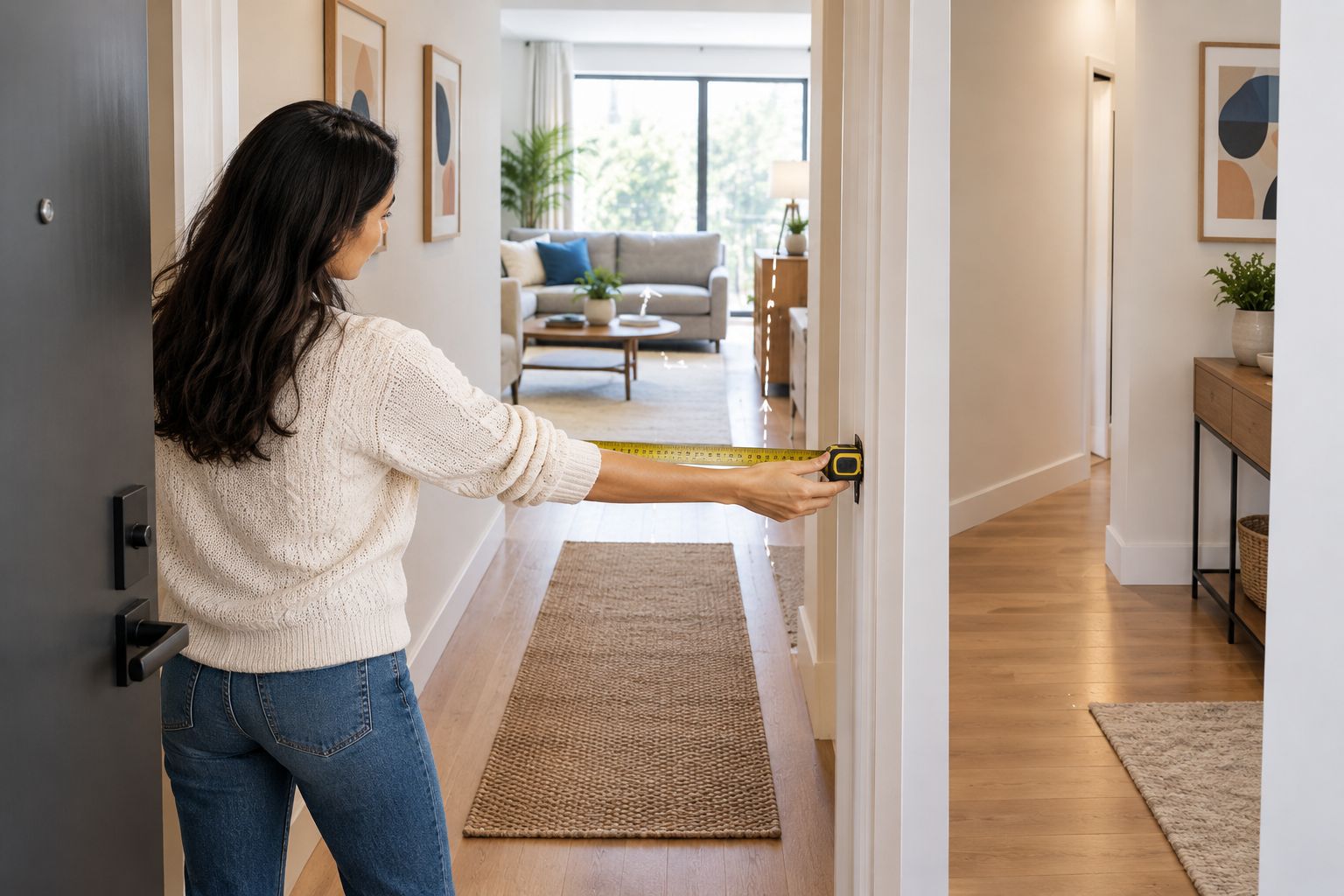 Check the full access route, not just the front doorway.
For a 2026 move, avoid treating a projected furniture arrival as a fixed move-in milestone. Make arrangements from the delivery information actually confirmed for your order.
Arrival inspection and records
Inspect the furniture and keep repayment separate
- Review any inspection instructions supplied with the delivery. Photograph the packaging and labels before discarding anything, especially if you see crushing, tears, or other visible damage.
- Inspect the furniture as the delivery conditions allow. Compare the received pieces with the order confirmation, then check accessible surfaces, components, and assembly materials. Follow the supplied handling and assembly instructions.
- Document a problem clearly. Photograph the whole item, the affected area, and the identifying label, then describe what differs from the order or what appears damaged.
- Report fulfillment problems to the retailer with the order number and supporting details. Keep the correspondence together rather than starting disconnected requests through several channels.
- Continue managing the financing agreement according to its current instructions. A delivery problem, cancellation request, or return shipment does not itself prove that the financing balance or payment schedule has changed.
Expected result: You have evidence of the furniture’s condition on arrival and a clear record of any requested remedy. You also know that repayment changes require their own confirmation.
Verify the retail outcome and the financing outcome separately. That rule matters just as much after delivery as it does during checkout.
When the furniture order changes
A changed order needs a second workflow. Start with the retailer’s confirmation of the change, then check how the accepted financing agreement is affected; do not assume the records update at the same moment.
| Workflow | Best for | Advantage | Limitation |
|---|---|---|---|
| New purchase | Buyers whose selection and address are settled | Establishes a clear order and financing record from the start | Checkout still requires verification after approval |
| Order change | Buyers correcting an existing purchase | Keeps the requested change tied to the original order | The retailer must confirm what can be changed |
| Return or cancellation | Buyers seeking to reverse an order | Creates a documented request and outcome | A request alone does not confirm a financing adjustment |
For a change, cancellation, or return:
- Ask the retailer what action is possible for your specific order and follow the applicable instructions.
- Obtain written confirmation of the accepted action and retain any return tracking or receipt.
- Check your Affirm record for the corresponding adjustment after the retailer confirms the relevant transaction has been processed.
- If the records disagree, contact the party responsible for the unresolved step with the supporting confirmation.
Do not place a replacement order merely to fix uncertainty about the first one. Establish the status of the original purchase before creating another obligation.
Troubleshooting
Affirm shows approval, but no order confirmation arrived
Check filtered email folders and any checkout confirmation you saved. Ask the retailer to verify whether an order exists before retrying; a second checkout is not a reliable way to diagnose the first.
The financing application cannot be completed
Read the message shown in the application and follow its stated instructions. Check your entries for mistakes, but do not repeatedly submit changed information to force a different result. Direct application and account questions to Affirm.
Tracking exists, but there is no shipment movement
A tracking reference alone does not establish that furniture is moving. Read the latest carrier status, then ask the retailer to clarify the handoff if the shipping notice and tracking record do not agree.
The delivery address needs correcting
Contact the retailer promptly and ask whether the order’s delivery address can still be changed. Changing personal details in a financing account is not confirmation that the furniture shipment has been redirected.
A cancellation or return is not reflected in financing
Gather the retailer’s confirmation and check whether it confirms a request, an accepted return, or a processed refund. Those are different events. Follow the current payment instructions unless Affirm confirms a change to your obligation.
For an unresolved furniture-order issue, contact Sohnne with the order number, a short description, and the relevant evidence. Keep financing credentials and full payment details out of ordinary correspondence.
Customize your workflow
Make your 2026 workflow fit the room as well as the transaction. For a modular arrangement, save a layout sketch alongside the confirmed configuration. For an apartment delivery, add the building’s access requirements and the contact responsible for receiving the shipment.
Use reminders for confirmed payment dates and scheduled delivery actions, but label them differently. A payment reminder should trigger a financing check; a shipment alert should trigger an order or carrier check. Keeping those actions distinct prevents the wrong support request.
If someone else will receive the furniture, share the order reference, inspection instructions, and delivery contact details. Keep the financing agreement private unless that person genuinely needs access to it.
FAQ
Does Affirm approval mean my furniture order is complete?
No. Verify the retailer’s order confirmation separately from the financing decision. Keep both records so you can match the agreement to the purchase.
Can I use Affirm furniture financing at Sohnne?
Sohnne offers Affirm financing. Check the payment choices presented for your purchase and review the actual terms offered to you before accepting.
Will financing approval tell me when my furniture arrives?
No. Delivery information comes from the furniture order and subsequent shipment updates. A financing decision does not establish a delivery appointment.
What should I check before accepting a furniture payment plan?
Check the payment amounts, due dates, repayment duration, applicable interest terms, and total repayment obligation. Confirm that the furniture configuration and delivery access also work for your home.
Who should I contact if my furniture arrives damaged?
Contact the retailer about damaged furniture. Keep photographs, packaging details, and the order number together, and follow the retailer’s reporting instructions.
Does returning furniture automatically stop Affirm payments?
Do not treat a return shipment as confirmation that payments have stopped. Follow the current agreement and check for the corresponding financing adjustment after the retailer processes the refund.
What should I do if I was approved but cannot find my order?
Ask the retailer to verify whether the order exists before submitting another purchase. Supply the checkout email and relevant reference, without sharing unnecessary financial details.
One last thing
Create a short purchase summary before delivery: order number, financing reference, selected furniture, delivery contact, and unresolved questions. Store it securely with the original documents. The useful record is not the longest email thread; it is the one that makes the next action clear.
Related guides
- Can you buy designer-style furniture with a payment plan?
- How long does furniture take to deliver?
- How to measure a room before buying a modular sofa
Stay connected with us!
Keep in touch with what’s new and next. Subscribe for weekly insights, product launches, and community news!